
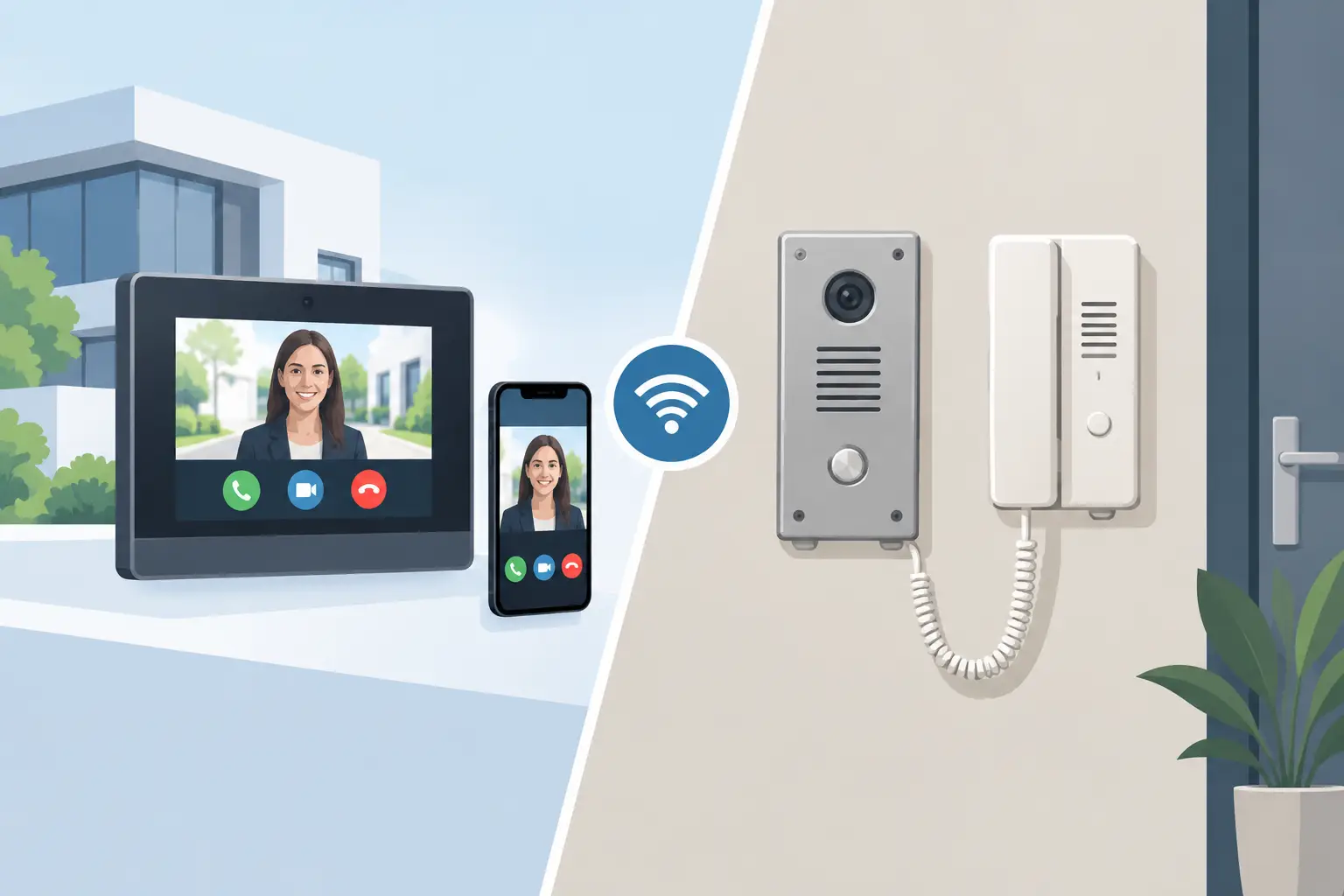


Compare IP intercom vs analogue intercom systems for homes, flats and businesses. Understand wiring, remote access, costs and the right fit for your site.
Wireless Alarm Reliability: What Really Matters

A wireless alarm is only reassuring if it responds when a door opens at 3am, a window is forced, or a protected area is entered. Wireless alarm reliability is not decided by whether the system has an app or a recognisable name on the control panel. It is decided by the detail behind the installation: where devices are positioned, how they communicate, how power is maintained and how the system is configured for the way the property is actually used.
For homeowners, that means dependable protection without unnecessary disruption. For landlords, office managers and facilities teams, it means knowing who can set or unset the system, receiving the right alerts and having a clear record when an event occurs. A well-designed wireless alarm gives you control. A poorly specified one can leave blind spots, false alarms or devices that do not report a fault until it is too late.
Wireless alarm reliability starts before installation
Wireless does not mean simple plug-and-play security. Modern systems can be installed with far less disruption than a fully wired alarm, making them an excellent option for finished homes, occupied offices, flats and managed buildings. Yet every property has its own construction, layout and daily routine. These factors affect how reliable a system will be.
Thick masonry walls, foil-backed insulation, steelwork, mirrored surfaces and long extensions can all affect radio communication. So can the location of the hub, the central unit that receives signals from detectors, door contacts, keypads and sirens. A hub placed in a cupboard at one end of a building may work perfectly for a few nearby devices but struggle to maintain the same communication quality with a detector in a detached garage or top-floor office.
This is why a site survey matters. It allows the installer to assess the building rather than make assumptions from a floor plan or a product list. The aim is not to put the most devices possible into a quote. It is to identify the entry points, areas of value, likely routes through the property and practical operating needs, then specify the right level of coverage.
Radio signal is about the whole route
A wireless detector does not need a clear line of sight to the hub, but its communication path still needs to be tested. Reliable systems continuously supervise connected devices and report when a detector stops communicating, has been tampered with or has a low battery. That supervision is a major advantage over older basic wireless alarms, but it does not replace good placement.
Professional installation should include checking signal strength in the exact proposed location of each device. If a route is weak, the answer may be to reposition the hub, use a suitable signal extender or revise the device location without compromising protection. Simply moving a detector to where the signal is convenient can create a security gap, so the solution must balance coverage and communication.
Outbuildings deserve particular attention. A shed containing tools, a garage with vehicle access or a separate office may be within the apparent range of the house, but walls, distance and external interference can change conditions. These areas should never be treated as an afterthought.
Battery life is not the same as battery management
Wireless devices are battery powered, which leads some buyers to worry that they will stop working without warning. With a quality system, battery status is monitored and reported well before a replacement is urgent. The hub itself should also have a backup battery, so the alarm can continue operating during a power cut.
The important question is not simply, “How long do the batteries last?” Battery life varies according to the device, environmental conditions, settings and how often a detector activates. A busy corridor detector may behave differently from a rarely opened window contact. What matters is that the system gives clear low-battery warnings, the owner knows who receives them and replacements are fitted correctly.
For premises with several users, responsibility should be agreed from day one. A managed office may want alerts sent to a facilities manager and a nominated backup contact. A landlord may need a sensible plan for maintaining a system between tenancies. Reliability includes the support process after installation, not just the equipment on the wall.
Detection must suit the people using the building
The most dependable alarm is not necessarily the most sensitive one. An overly sensitive detector in the wrong room can create repeated false activations. That soon encourages users to ignore notifications, leave areas unset or stop using the system altogether. Equally, a detector positioned for convenience rather than purpose may fail to cover the approach an intruder would actually take.
Pet-friendly movement detectors can be appropriate in homes with animals, but they need to be selected and positioned with care. A large dog jumping on furniture, a cat using a stairwell or a heat source close to the detector may affect performance. In some rooms, a door contact or glass-break detector may provide a more suitable layer of protection than a motion detector alone.
Commercial settings bring different considerations. A nursery, for example, may require controlled entry and clear procedures around setting and unsetting outside operating hours. An office with cleaners, delivery access or staff working late needs a system that reflects those patterns. Separate areas, user permissions and correctly timed entry routes can reduce avoidable alarm events while keeping the premises protected.
Wireless alarm reliability depends on communication backup
An alarm has two jobs: detect an event and tell the right person about it. The second part is often overlooked. App notifications are useful, but the reliability of remote alerts depends on the hub’s connection to the outside world.
A professionally specified system should consider how it communicates if the main broadband connection fails. Depending on the property and required level of protection, that may include mobile network communication as a backup. The hub should also detect a loss of mains power, internet connection or communication with a device, allowing the owner or designated keyholder to investigate before security is compromised.
There is a practical trade-off here. A modest home may only need app alerts and a strong local siren, while a business holding stock, equipment or sensitive information may need a more resilient signalling arrangement and a defined response procedure. The right choice depends on the risk, the consequences of an alarm event and who is available to act.
Remote control is valuable, but it should not replace sensible access management. Each regular user should have their own code, fob, tag or app access where possible. That creates accountability and allows access to be removed quickly when an employee leaves, a contractor finishes work or a tenant changes. Sharing one code with several people is convenient until there is a problem.
Installation quality protects the system’s weak points
Even excellent wireless equipment can be undermined by rushed fitting. A door contact needs correct alignment and a secure fixing so that normal movement does not generate faults. A motion detector needs the right height, angle and view of the protected route. External sirens must be fixed securely, protected against tampering and positioned so they provide a genuine deterrent.
The hub also needs a sensible location. It should not be obvious to someone entering the property, but it must remain accessible for servicing. It should be away from sources of interference where possible and connected to reliable power. If it needs a network connection, that should be planned as part of the installation rather than treated as an inconvenient final step.
Testing is equally important. Each detector, contact, panic device and siren should be checked after fitting. Users should be shown how to arm and disarm the system, respond to alerts and recognise fault messages. Security only works when the people responsible for it feel confident using it.
At NRI Security, the starting point is a free site survey and a no-obligation quotation, because the right system cannot be chosen responsibly from a standard package alone. Modern Ajax wireless alarms, for example, can provide strong device supervision, clear app control and flexible protection, but they still need a design that matches the property and the people within it.
Keep reliability high after handover
Once an alarm is installed, a small amount of routine attention keeps it dependable. Check that nominated contacts remain current, especially after staffing changes or a house move. Act on low-battery and communication notifications rather than dismissing them. If broadband equipment is replaced, power sockets are altered or building work changes the layout, check that the hub and devices are still operating as expected.
It is also wise to review the system when circumstances change. A new extension, converted loft, home office, stock room or side gate can create a new route into the property. Security should follow the building and its use, not remain frozen at the point of the original installation.
The right wireless alarm should fade into the background during ordinary life and become decisive when something is wrong. Choose one that has been surveyed, tested, explained and supported properly, and you are buying more than an alarm – you are putting reliable protection under your control.

CCTV for Warehouses and Yards That Works
CCTV for warehouses and yards helps deter theft, protect stock and improve visibility with smart, professionally planned coverage day and night.

Is a PoE Video Intercom Worth It?
Choosing a poe video intercom with indoor monitor? Learn what PoE really changes, what to specify, and how to avoid common installation pitfalls.

Choosing Video Door Entry for Office Reception
Video door entry for office reception gives staff controlled access, clear visitor checks and reliable records. Learn what the right system should include.

Case Study: Door Entry for Apartment Blocks
A practical case study of door entry in apartments, covering access control, IP video, resident usability and installation choices that protect residents.

Choosing a Dahua Door Entry Installer
Need a dahua door entry system installer? Learn what to expect from a proper survey, POE setup, access options, and reliable after-care.
Best Security Upgrades for Landlords That Work
Choose the best security upgrades for landlords, from CCTV and controlled entry to smart lighting, with clear advice on coverage, compliance and support.

Keypad Entry vs Key Fob: Which Fits Best?
Comparing keypad entry vs key fob systems for homes and businesses. Learn the trade-offs on security, control, cost and day-to-day use.

Remote Monitoring Systems That Put You in Control
Remote monitoring systems give homeowners and businesses live visibility, faster alerts and practical control over CCTV, alarms and access points daily.

Best Entry Systems for Nurseries
Find the best entry systems for nurseries, from video door entry to access control and CCTV, with practical advice on safety, control and daily use.

CCTV Maintenance Checklist for Businesses
Use this CCTV maintenance checklist for businesses to test cameras, recordings, remote access and lighting, so your premises stay protected every day.

Commercial CCTV That Fits the Job
Commercial CCTV should deter, identify and inform. Learn what to specify, where systems fail, and how to choose the right setup.
Wireless Alarm Reliability: What Really Matters
A wireless alarm is only reassuring if it responds when a door opens at 3am, a window is forced, or a protected area is entered. Wireless alarm reliability is not decided by whether the system has an app or a recognisable name on the control panel. It is decided by the detail behind the installation: where devices are positioned, how they communicate, how power is maintained and how the system is configured for the way the property is actually used.
For homeowners, that means dependable protection without unnecessary disruption. For landlords, office managers and facilities teams, it means knowing who can set or unset the system, receiving the right alerts and having a clear record when an event occurs. A well-designed wireless alarm gives you control. A poorly specified one can leave blind spots, false alarms or devices that do not report a fault until it is too late.
Wireless alarm reliability starts before installation
Wireless does not mean simple plug-and-play security. Modern systems can be installed with far less disruption than a fully wired alarm, making them an excellent option for finished homes, occupied offices, flats and managed buildings. Yet every property has its own construction, layout and daily routine. These factors affect how reliable a system will be.
Thick masonry walls, foil-backed insulation, steelwork, mirrored surfaces and long extensions can all affect radio communication. So can the location of the hub, the central unit that receives signals from detectors, door contacts, keypads and sirens. A hub placed in a cupboard at one end of a building may work perfectly for a few nearby devices but struggle to maintain the same communication quality with a detector in a detached garage or top-floor office.
This is why a site survey matters. It allows the installer to assess the building rather than make assumptions from a floor plan or a product list. The aim is not to put the most devices possible into a quote. It is to identify the entry points, areas of value, likely routes through the property and practical operating needs, then specify the right level of coverage.
Radio signal is about the whole route
A wireless detector does not need a clear line of sight to the hub, but its communication path still needs to be tested. Reliable systems continuously supervise connected devices and report when a detector stops communicating, has been tampered with or has a low battery. That supervision is a major advantage over older basic wireless alarms, but it does not replace good placement.
Professional installation should include checking signal strength in the exact proposed location of each device. If a route is weak, the answer may be to reposition the hub, use a suitable signal extender or revise the device location without compromising protection. Simply moving a detector to where the signal is convenient can create a security gap, so the solution must balance coverage and communication.
Outbuildings deserve particular attention. A shed containing tools, a garage with vehicle access or a separate office may be within the apparent range of the house, but walls, distance and external interference can change conditions. These areas should never be treated as an afterthought.
Battery life is not the same as battery management
Wireless devices are battery powered, which leads some buyers to worry that they will stop working without warning. With a quality system, battery status is monitored and reported well before a replacement is urgent. The hub itself should also have a backup battery, so the alarm can continue operating during a power cut.
The important question is not simply, “How long do the batteries last?” Battery life varies according to the device, environmental conditions, settings and how often a detector activates. A busy corridor detector may behave differently from a rarely opened window contact. What matters is that the system gives clear low-battery warnings, the owner knows who receives them and replacements are fitted correctly.
For premises with several users, responsibility should be agreed from day one. A managed office may want alerts sent to a facilities manager and a nominated backup contact. A landlord may need a sensible plan for maintaining a system between tenancies. Reliability includes the support process after installation, not just the equipment on the wall.
Detection must suit the people using the building
The most dependable alarm is not necessarily the most sensitive one. An overly sensitive detector in the wrong room can create repeated false activations. That soon encourages users to ignore notifications, leave areas unset or stop using the system altogether. Equally, a detector positioned for convenience rather than purpose may fail to cover the approach an intruder would actually take.
Pet-friendly movement detectors can be appropriate in homes with animals, but they need to be selected and positioned with care. A large dog jumping on furniture, a cat using a stairwell or a heat source close to the detector may affect performance. In some rooms, a door contact or glass-break detector may provide a more suitable layer of protection than a motion detector alone.
Commercial settings bring different considerations. A nursery, for example, may require controlled entry and clear procedures around setting and unsetting outside operating hours. An office with cleaners, delivery access or staff working late needs a system that reflects those patterns. Separate areas, user permissions and correctly timed entry routes can reduce avoidable alarm events while keeping the premises protected.
Wireless alarm reliability depends on communication backup
An alarm has two jobs: detect an event and tell the right person about it. The second part is often overlooked. App notifications are useful, but the reliability of remote alerts depends on the hub’s connection to the outside world.
A professionally specified system should consider how it communicates if the main broadband connection fails. Depending on the property and required level of protection, that may include mobile network communication as a backup. The hub should also detect a loss of mains power, internet connection or communication with a device, allowing the owner or designated keyholder to investigate before security is compromised.
There is a practical trade-off here. A modest home may only need app alerts and a strong local siren, while a business holding stock, equipment or sensitive information may need a more resilient signalling arrangement and a defined response procedure. The right choice depends on the risk, the consequences of an alarm event and who is available to act.
Remote control is valuable, but it should not replace sensible access management. Each regular user should have their own code, fob, tag or app access where possible. That creates accountability and allows access to be removed quickly when an employee leaves, a contractor finishes work or a tenant changes. Sharing one code with several people is convenient until there is a problem.
Installation quality protects the system’s weak points
Even excellent wireless equipment can be undermined by rushed fitting. A door contact needs correct alignment and a secure fixing so that normal movement does not generate faults. A motion detector needs the right height, angle and view of the protected route. External sirens must be fixed securely, protected against tampering and positioned so they provide a genuine deterrent.
The hub also needs a sensible location. It should not be obvious to someone entering the property, but it must remain accessible for servicing. It should be away from sources of interference where possible and connected to reliable power. If it needs a network connection, that should be planned as part of the installation rather than treated as an inconvenient final step.
Testing is equally important. Each detector, contact, panic device and siren should be checked after fitting. Users should be shown how to arm and disarm the system, respond to alerts and recognise fault messages. Security only works when the people responsible for it feel confident using it.
At NRI Security, the starting point is a free site survey and a no-obligation quotation, because the right system cannot be chosen responsibly from a standard package alone. Modern Ajax wireless alarms, for example, can provide strong device supervision, clear app control and flexible protection, but they still need a design that matches the property and the people within it.
Keep reliability high after handover
Once an alarm is installed, a small amount of routine attention keeps it dependable. Check that nominated contacts remain current, especially after staffing changes or a house move. Act on low-battery and communication notifications rather than dismissing them. If broadband equipment is replaced, power sockets are altered or building work changes the layout, check that the hub and devices are still operating as expected.
It is also wise to review the system when circumstances change. A new extension, converted loft, home office, stock room or side gate can create a new route into the property. Security should follow the building and its use, not remain frozen at the point of the original installation.
The right wireless alarm should fade into the background during ordinary life and become decisive when something is wrong. Choose one that has been surveyed, tested, explained and supported properly, and you are buying more than an alarm – you are putting reliable protection under your control.
Similar Posts

Best Commercial CCTV System Features
Learn the best commercial CCTV system features for clearer evidence, stronger deterrence and simpler day-to-day control across your site.
Keypad Entry vs Key Fob: Which Fits Best?
Comparing keypad entry vs key fob systems for homes and businesses. Learn the trade-offs on security, control, cost and day-to-day use.

CCTV for Flat Entrance Doors: What Works
CCTV for apartment building entrance: learn what to cover, camera types, night vision, privacy rules, and setup tips for safer shared entryways.

How to Plan an Apartment Intercom Upgrade Safely
Learn how to plan apartment intercom upgrade work with clear entry rules, suitable IP equipment, resident communication and reliable ongoing support too.

Free CCTV Site Survey: What You Really Get
A free cctv site survey shows what cameras you need, where they should go, and what it will cost. Avoid blind spots and overspend.
Wireless Alarm Reliability: What Really Matters
Wireless alarm reliability depends on design, signal strength, power and support. See what a professional installation checks before an alarm is needed.

Home Surveillance That Gives You Clear Control
Plan home surveillance around real risks, clear evidence and simple daily use. Learn where cameras, lighting and professional setup make a difference.

Commercial CCTV Installation Guide for UK Sites
Our commercial CCTV installation guide explains how to plan cameras, protect privacy and achieve clear evidence with reliable professional support on site.

Which CCTV Cameras Deter Burglars Best?
Find out which CCTV cameras deter burglars, where to place them and which features deliver clear evidence and control for homes and businesses every day.
Remote Monitoring Systems That Put You in Control
Remote monitoring systems give homeowners and businesses live visibility, faster alerts and practical control over CCTV, alarms and access points daily.

CCTV Installation Cost in the UK: Real Budgets
Wondering how much does cctv installation cost uk? See realistic UK price ranges, what drives cost, and how to budget for a reliable system.

Best Access Control for Nurseries
Find the best access control for nurseries with practical advice on door entry, credentials, safeguarding, CCTV integration and daily usability.