



Compare the best commercial security system features for dependable CCTV, controlled entry and faster response across offices, flats and managed sites.
Clearer CCTV Footage at Night: Fixes That Work

You only find out your night footage is poor when you need it. A face becomes a blur at the gate. A number plate turns into a white rectangle. Or the recording shows a dark shape crossing the drive, but nothing you could hand to the police or an insurer with confidence.
Improving night recording is rarely about one magic camera. It is about matching sensor, lens, lighting, placement and settings to your property – then making sure the recorder and network are not quietly undoing all that work. Here is how to improve CCTV night recording in a way that produces usable, actionable images.
Start with the outcome: what do you need to identify?
If your goal is simply to see movement, almost any infrared camera will do. Identification is different. To identify a person, you need enough facial detail at the moment they look towards the camera, and you need that detail without motion blur. For vehicles, you need a workable angle, controlled glare, and settings designed for reflective plates.
This is why “better night vision” can still disappoint. A camera can see in the dark and still fail to capture evidence-grade footage because the subject is too far away, moving too fast, or lit in a way that forces the camera to smear detail.
Why night footage fails (and why it is usually fixable)
At night, the camera is starved of light. To compensate, it has to either slow the shutter (which increases blur) or increase gain (which increases noise and smudges fine detail). If infrared LEDs are involved, reflective surfaces can flare, and spiders or rain close to the lens can look like a fog of white streaks.
The fix is to give the camera more usable light, reduce the distance to the subject, and set the camera up to prioritise detail where it matters – typically at choke points like gates, doors, paths, car parks, and bin-store approaches.
How to improve CCTV night recording with smarter lighting
Infrared (IR) is useful, but it is not always your best friend. IR footage is often monochrome and can struggle with fast movement. It can also overexpose close objects, making faces pale and featureless.
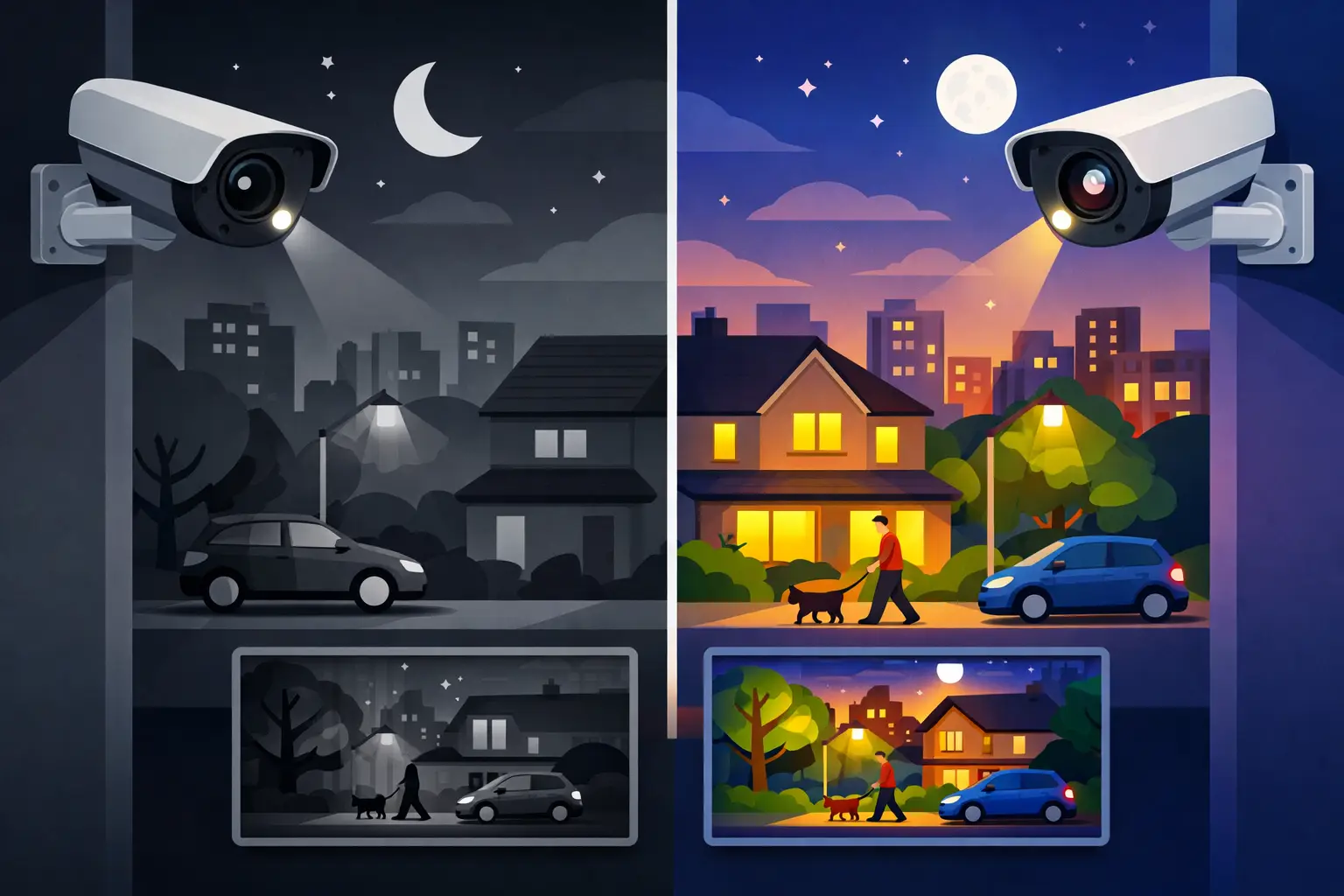
White light changes the game. A modest, well-aimed LED can allow shorter shutter speeds, lower noise, and true colour capture – which is often more recognisable and more persuasive as evidence.
There are two sensible approaches:
First, low-level constant illumination. This is common for business premises, car parks, and side access routes where you want consistent coverage with minimal surprises for the camera.
Second, smart illumination that triggers on movement or perimeter detection. This is where modern “colour at night” cameras and intrusion-triggered lighting work together. The advantage is simple: you keep the site relatively discreet most of the time, but when someone enters a protected zone the area lights up and the camera records in colour with higher clarity. The trade-off is that it must be configured properly so it does not trigger all night on trees, pets, or passing headlights.
Lighting placement matters as much as brightness. If a light shines towards the camera, you will get glare and reduced detail. Ideally, lighting should come from above and slightly in front of where you expect a person to be, aimed downwards, with shielding to avoid spill into neighbours’ windows.
Get the camera closer, not “more powerful”
Many customers ask for a camera that can “zoom in” further at night. In practice, the biggest improvement often comes from moving the camera to the right place.
A wide-angle camera mounted high on a corner is great for overview coverage, but it spreads pixels thinly across a large area. At night, that means less detail on faces and plates. If you want identification, consider dedicating a camera to a narrow field of view at a choke point: the front path, the gate line, the doorway, the car park entrance.
Mounting height is also a balance. Too high and you get the top of heads and hoodies. Too low and the camera is easier to tamper with. For many homes and small businesses, a sensible height that captures faces while remaining out of easy reach works best – and you can add a second overview camera for context.
Choose the right camera type for the job
Not all “night cameras” behave the same. When you are comparing options, focus on how the camera performs in low light, not just whether it has IR LEDs.
Larger sensors and better lenses typically outperform cheap, high-megapixel models at night. A 4K badge does not guarantee good night footage if the sensor is small and noisy. Conversely, a well-specified 4MP or 8MP camera with strong low-light processing can produce clearer identification.
If you want colour at night, look for cameras designed for it. They typically combine a more light-sensitive sensor with an aperture that gathers more light, and they may use warm white LEDs that switch on only when needed. These are particularly effective on driveways, entrances, and perimeter lines where you can control the scene.
For number plates, you often need a dedicated approach. A general-purpose night camera may be overwhelmed by reflective plates and headlights. A camera configured specifically for plates (and installed at the right angle and distance) is usually the dependable solution.
Settings that make or break night recording
Even the best kit will underperform if it is left on default settings. Night optimisation is about prioritising detail, then making sure the recorder captures that detail.
Shutter speed is a key lever. Slower shutter speeds brighten the image but blur movement. Faster shutter speeds reduce blur but require more light. If you are covering a doorway where people move slowly, you can accept a slightly slower shutter. If you are covering a driveway with vehicles, you will need faster shutter settings and better lighting.
Noise reduction is another trade-off. Too much noise reduction makes footage look “clean” but can wipe out facial texture. Too little and the image becomes grainy and compression artefacts increase. The right balance depends on the scene and the camera.
Wide Dynamic Range (WDR) helps when there are bright and dark areas together, such as a porch light and a dark garden. It can improve facial detail, but it can also introduce ghosting in some night scenes. Again, it depends – and this is where a proper test at night is worth more than any daytime preview.
Do not let the recorder ruin your footage
It is common to have good live view and disappointing playback. That is usually a recording configuration issue.
Bitrate and compression matter. If the recorder is set to a low bitrate, fine detail gets thrown away, especially in low light where the image has more noise and movement. Modern H.265 compression is efficient, but it still needs enough bitrate to preserve detail.
Frame rate also matters. For a quiet rear alley, 12-15 fps may be adequate. For a busy entrance or vehicle area, higher frame rates help capture usable frames during movement. The trade-off is storage. If you increase bitrate and frame rate, you will need larger hard drives or more disciplined retention settings.
Finally, make sure your monitor and app are not misleading you. A 7-inch display at reception might look fine even when the recording is under-set. The proof is in full-screen playback at the recorder’s recorded resolution.
Clean installation details that improve night clarity
Night problems are often blamed on the camera, when the real issue is the environment around it.
If the lens is exposed to rain or dirt, night IR will flare and haze quickly. A small change in mounting position, or using a camera housing designed for the weather, can keep the lens cleaner.
Avoid pointing IR cameras at nearby walls, soffits, or downpipes that reflect IR back into the lens. You get a bright corner and a dark subject – and it looks like the camera is “bad”. Slightly changing the angle or moving the camera away from reflective surfaces often fixes it.
Cable and network integrity also count, especially with IP systems. Poor terminations or marginal PoE power can cause intermittent drops that you only notice when you scrub through night footage. A professional install should include stable PoE delivery, correct cable specification, and tidy terminations that remain reliable over time.
Use detection properly: reduce false alerts, improve evidence
Better night recording is not only about image quality. It is also about capturing the right moment.
If your system records continuously at night, you may still miss the best frame if the camera is set too softly or the bitrate is too low. If you record on motion, you need dependable detection so it triggers early enough and does not ignore a person in dark clothing.
Modern systems can use line crossing and intrusion zones rather than basic pixel motion. This is particularly effective for driveways, side gates, and perimeter fences. When configured correctly, it reduces nuisance recordings from rain, tree movement, and headlights, and it can trigger smart illumination so the camera records in colour when it matters.
When it is worth bringing in a professional
If you have tried repositioning and basic settings and your footage is still unusable, the next step is usually a site survey. The right answer might be additional lighting, a dedicated identification camera at a choke point, or a recorder reconfiguration to stop over-compression.
A consultative installer should ask what you need to identify, where the incidents occur, and what constraints you have (neighbours, lighting sensitivity, listed buildings, business operating hours). They should also test at night, because daytime walkthroughs can hide the real problem.
If you want guidance without being pushed into unnecessary kit, NRI Security Ltd provides free site surveys and no-obligation quotations, with a focus on specifying the right-fit system and supporting it after installation.
A closing thought
The best night footage is not the brightest footage – it is the footage that holds detail at the exact place a person has to pass, under lighting and settings chosen for that moment. Get that right, and your CCTV stops being a vague deterrent and becomes real control you can rely on.

Remote CCTV Monitoring Apps That Feel Reliable
Choosing a remote cctv monitoring app? Learn what matters: alerts, playback, privacy, user access, and setup for homes and small businesses.

CCTV Internet Requirements for Reliable Viewing
Understand CCTV internet requirements for dependable remote viewing, clear footage and secure access at home, in flats, offices and managed buildings too.

Nursery Safeguarding Camera Placement Example
See a nursery safeguarding camera placement example that protects children, supports staff and respects privacy, with CCTV design advice for UK settings.

Remote Monitoring Systems That Put You in Control
Remote monitoring systems give homeowners and businesses live visibility, faster alerts and practical control over CCTV, alarms and access points daily.

How to Upgrade Outdated CCTV System
Learn how to upgrade outdated CCTV system setups with better image quality, remote access, smart alerts and reliable coverage that works.
Best Security Cameras for Nurseries That Protect
Choose the best security cameras for nurseries with clear guidance on coverage, privacy, night vision, access control and professional installation support.

Smart Home Security Installation Done Right
Smart home security installation works best when cameras, alarms and entry systems are designed properly, fitted well and supported after handover.

Best Video Door Entry Monitors for UK Properties
Compare the best video door entry monitors for homes, flats and workplaces, with clear advice on screens, POE, access control and installation choices.

Card Access Versus Mobile Access: Which Fits?
Compare card access versus mobile access for homes, flats and offices. See the security, cost and management factors shaping the right choice for all.

A Nursery Security Upgrade Example That Works
See a practical nursery security upgrade example: controlled entry, CCTV and safer handovers designed around routines, privacy and safeguarding needs.
What Is Full Colour Night CCTV and How It Works
Understand what is full colour night CCTV, how it records useful colour after dark, and why camera placement and lighting still matter on every site.