


CCTV for warehouses and yards helps deter theft, protect stock and improve visibility with smart, professionally planned coverage day and night.
Ajax Wireless Alarm Review for Homes and Firms

A wireless alarm either gives you confidence the moment you leave the property, or it leaves you second-guessing every notification. That is the real test. In this Ajax wireless alarm review, the question is not simply whether the kit looks smart on the wall. It is whether it gives homeowners, landlords and business operators dependable protection, clear control and fewer weak points in day-to-day use.
Ajax has built a strong name in the intruder alarm market by doing two things well. First, it makes wireless security feel properly modern rather than like a compromise. Second, it puts user experience front and centre, with equipment that is tidy, app-led and easier to live with than many older alarm systems. For the right property, that matters a great deal.
Ajax wireless alarm review – what stands out
The strongest point with Ajax is that it does not feel like a stripped-back wireless option. Many buyers still assume hard-wired means better and wireless means easier but less reliable. In practice, Ajax has done a good job of challenging that view. The devices are well designed, the communication between components is fast, and the system gives a level of control that suits modern homes and managed premises.
For domestic properties, that means a cleaner installation with less disruption to décor and much faster deployment. For small and mid-sized commercial sites, it means you can protect offices, entrances, stock areas and shared access points without major cabling works. In occupied buildings, that can be the difference between a practical upgrade and a job that gets postponed for months.
The product range is another strength. You are not limited to a basic panel and a few detectors. Ajax supports motion detection, door and window protection, internal and external sounders, key fobs, keypads, fire protection and leak detection. That gives an installer room to design around the site rather than forcing the site to fit the equipment.
Design, usability and day-to-day control
Ajax is one of the better-looking alarm systems on the market, but appearance is only part of the story. The real benefit is usability. The app is clear, quick to navigate and genuinely useful rather than something you only open when there is a problem.
That matters for busy households and businesses. If arming and disarming is awkward, people make mistakes. If alerts are confusing, they get ignored. Ajax keeps the daily routine straightforward. You can check status, receive notifications and manage user access without digging through menus or relying on dated interfaces.
In shared properties, this is especially useful. Landlords, office managers and facilities teams often need simple accountability – who armed the system, when a detector triggered, whether a certain area is still unset. Ajax handles that side well, which makes it suitable for environments where security is not just about deterrence but also about record and control.
How reliable is Ajax in real use?
This is where any alarm system has to be judged carefully. Marketing claims are easy. Reliable signalling, sensible detector placement and proper configuration are what actually protect a building.
Ajax uses encrypted wireless communication and is designed to monitor device status continuously. That gives reassurance, but reliability still depends on the site. Thick walls, steelwork, awkward layouts and busy commercial environments can all affect wireless performance if the system is not surveyed properly.
That is why professional specification matters. A good installer will test signal paths, position devices correctly and avoid creating blind spots just because a detector looks neat in a particular corner. Wireless does not remove the need for good alarm design. It just changes how the design is delivered.
Battery life is generally a positive point with Ajax. Devices are intended to run for years rather than months, which reduces nuisance maintenance. Even so, no battery-powered system is completely maintenance-free. Users should expect periodic servicing, health checks and battery replacement as part of responsible ownership.
Where Ajax works best
Ajax is particularly strong in homes, flats, offices, retail units, managed residential buildings and sites where disruption needs to be kept low. If you want a fast install, smart control and strong visual deterrence, it is a very good fit.
It also works well where broader security needs may grow over time. A customer may start with intrusion protection and later add external detection, internal panic devices or linked security measures. Ajax lends itself to phased upgrades, which suits people who want a clear route forward rather than replacing everything later.
For many residential customers, the appeal is simple. They want to secure doors, vulnerable windows and key circulation areas without lifting floors or chasing walls. For businesses, the appeal is often operational. They need staff-friendly access, out-of-hours alerts and a system that does not create unnecessary downtime during installation.
The trade-offs to know before you buy
No honest Ajax wireless alarm review should pretend the system is perfect for every site. Wireless alarms have limits, and the right answer depends on the building, the risks and how the property is used.
The first trade-off is that wireless convenience still relies on good surveying. In a straightforward house, this is usually simple. In larger or more complex premises, planning becomes more important. A poor design can undermine a very good product.
The second is cost. Ajax is not a bargain-basement alarm. You are paying for product quality, app experience and a more refined ecosystem. In many cases that is justified, especially if reliability and usability matter more than chasing the cheapest quote. But some customers with very basic security needs may find a simpler system adequate.
The third is that alarm performance should not be viewed in isolation. Intrusion protection works best when it sits alongside visible CCTV, good lighting and controlled entry. An alarm can alert you to a breach, but cameras help verify what has happened and support a faster, better-informed response. For higher-risk properties, combining these systems usually makes more sense than expecting one product to do everything.
Ajax wireless alarm review for businesses
For business users, Ajax gets a lot right. The system is clean, presentable and suitable for client-facing spaces where bulky or dated security devices are unwelcome. It also offers the kind of user management and notification control that helps businesses stay organised.
This is useful in offices, nurseries, small warehouses, communal entrances and multi-user environments. Different people can have controlled access, and management can retain oversight without needing to be on site. For out-of-hours security, that level of visibility is valuable.
That said, commercial security always needs a more careful conversation. A small office with a reception area is very different from a unit storing valuable stock. Some sites need graded intrusion protection, tighter access control, monitored signalling paths or more extensive perimeter coverage. Ajax may still be suitable, but it should be part of a proper site-specific recommendation rather than a one-size-fits-all answer.
Is professional installation worth it?
In most cases, yes. The appeal of wireless kit can tempt buyers towards self-installation, but the quality of an alarm system is measured by detection coverage, device placement, signalling integrity and how the system responds under pressure. Those are not details to guess.
A professional installer should do more than fit sensors. They should assess entry routes, identify vulnerable areas, consider pet movement, review user habits and align the alarm with the rest of the site. If there is CCTV, door entry or perimeter protection involved, those elements should complement each other rather than operating as separate islands.
That is where a consultative approach makes the difference. The right installer will tell you when Ajax is a strong fit and when another route may suit the premises better. That protects the customer from paying for the wrong system dressed up as the latest option.
Final view on Ajax
Ajax is one of the more convincing wireless alarm systems available for homes and many commercial properties. It combines strong design, very good usability and flexible device options in a way that feels current without becoming complicated. It is not the cheapest route, and it still depends on proper design and installation, but for many buyers that is a worthwhile trade.
If your priority is straightforward control, dependable intrusion protection and a system that fits neatly into a modern property, Ajax deserves serious consideration. The best results come when the system is matched carefully to the building, installed properly and supported after the job is done – because reassurance should last well beyond the day the alarm goes live.

Professional CCTV Installer Benefits
See the professional CCTV installer benefits that matter most – better coverage, cleaner setup, reliable recording and support after install.

Remote Monitoring Systems That Put You in Control
Remote monitoring systems give homeowners and businesses live visibility, faster alerts and practical control over CCTV, alarms and access points daily.

Smart Home Security Installation Done Right
Smart home security installation works best when cameras, alarms and entry systems are designed properly, fitted well and supported after handover.

Upgrade Old Analogue CCTV to IP
Learn how to upgrade old analogue CCTV to IP, what can stay, what must change, and how to improve image quality, access and control.

Security Site Survey Guide for Safer Installs
A practical security site survey guide for homes and businesses. Learn what installers assess, what affects cost, and how to plan smarter protection.

Video Door Entry for Safer Premises
Video door entry gives homeowners and businesses better control of visitors, access and accountability with clear, professionally installed systems.

Smart Door Entry for Nurseries Safeguarding
Smart door entry for nurseries safeguarding helps control access, verify visitors and support staff with clear, reliable entry records and video.
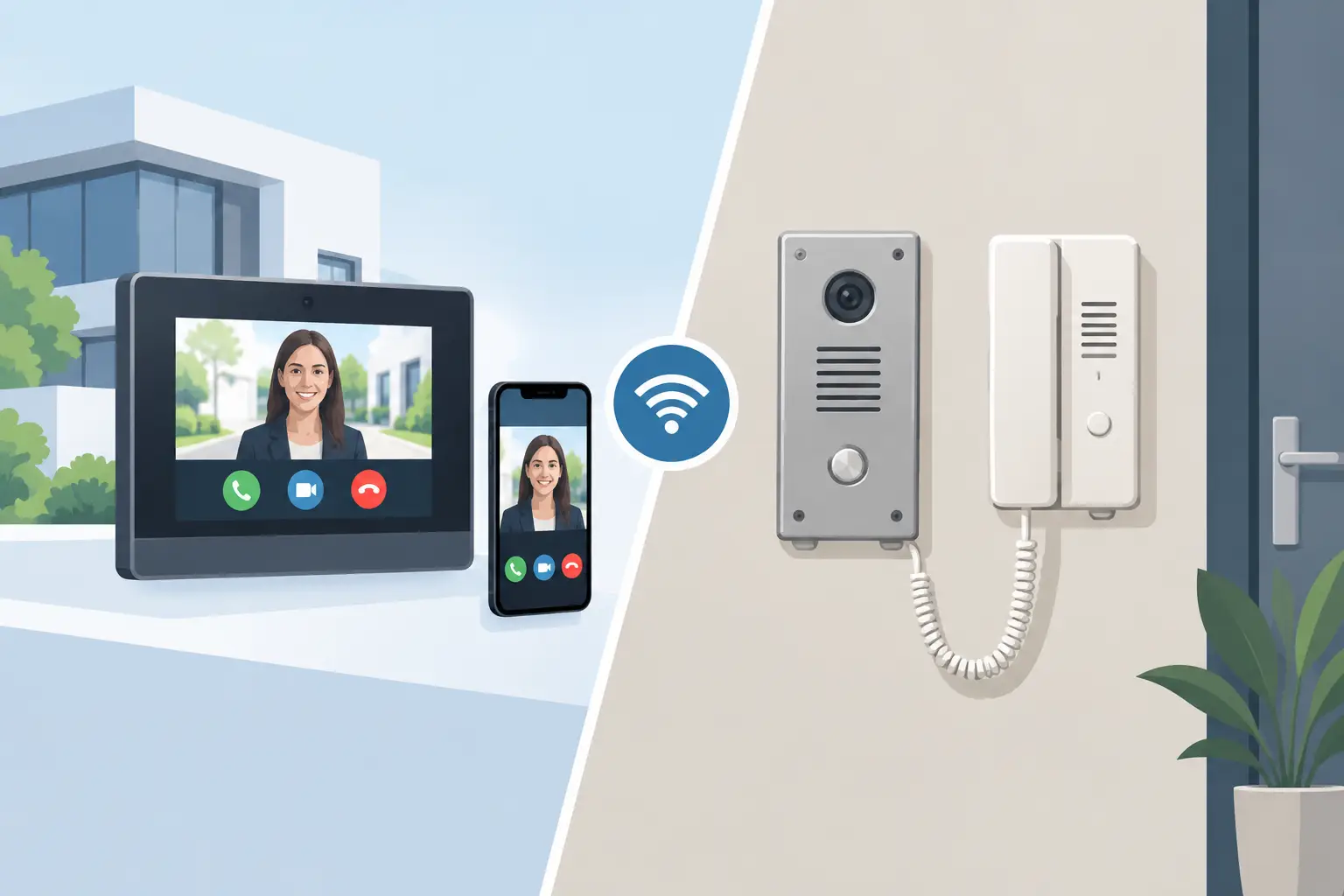
IP Intercom vs Analogue Intercom: Which Fits?
Compare IP intercom vs analogue intercom systems for homes, flats and businesses. Understand wiring, remote access, costs and the right fit for your site.

How to Choose CCTV Installers Near You
Searching for professional cctv installers near me? Learn what to look for, what to avoid, and how to choose a system that fits your property.

Best CCTV for Detached Houses in 2026
Choosing the best cctv for detached houses comes down to coverage, lighting, recording and install. Get a clear, practical spec that fits.

CCTV Installation Cost in the UK: Real Budgets
Wondering how much does cctv installation cost uk? See realistic UK price ranges, what drives cost, and how to budget for a reliable system.